

First Build, Can You Check My Compatibility?
Hey y'all!!
This will be my first ever build, so I want to make sure I haven’t made any rookie mistakes before I order the parts. Budget is about $1000–$1100.
Here’s what I’ve picked so far:
- CPU: Intel i5-13600K
- Cooler: Thermalright Peerless Assassin
- GPU: RX 7800 XT
- Motherboard: MSI PRO Z690-A DDR5
- RAM: 32GB DDR5 6000MHz
- Storage: 2TB NVMe Gen4
- PSU: 750W Gold
- Case: Lian Li Lancool 216
Here are my questions:
- Is everything here fully compatible?
- Do I need to worry about BIOS updates with this CPU/motherboard combo?
- Is 32GB overkill for gaming, or a smart move for the future?
I’d really appreciate a second set of eyes on this list before I place the order! Thank you!!

CPU for keeping things balanced and future ready
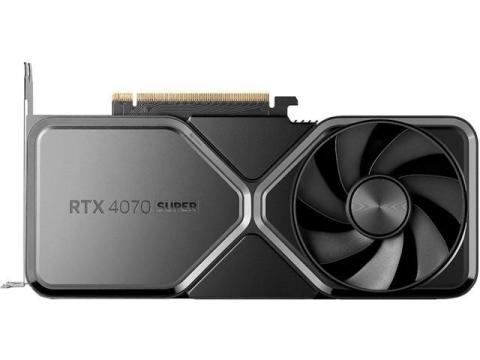
1. NVIDIA RTX 4070 Super
It is generally 5–10% faster than the 7800 XT and offers superior features for your "occasional productivity." NVIDIA’s **NVENC encoder** is the gold standard for video work, and **DLSS 3.5 (Frame Gen/Ray Reconstruction)** provides better longevity for demanding future games.
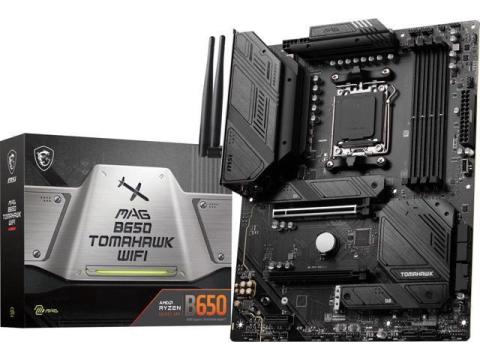
2. MSI MAG B650 Tomahawk WiFi
B650 boards handle the 7700X perfectly. The "E" (Extreme) variant of B650 is the "future-ready" sweet spot because it includes **PCIe 5.0** support for your next GPU or SSD upgrade.
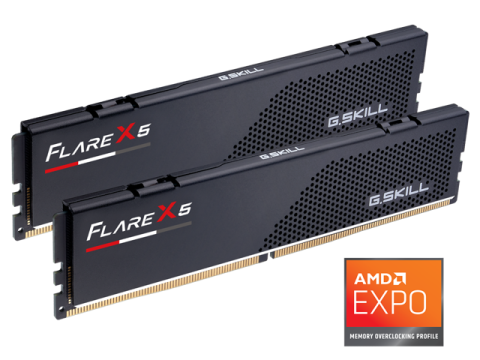
3. G.Skill Flare X5** (low profile, fits under air coolers)
Ensure the kit supports **AMD EXPO** for one-click overclocking in the BIOS. Anything faster than 6000MT/s often leads to stability issues on the AM5 platform without manual tweaking.
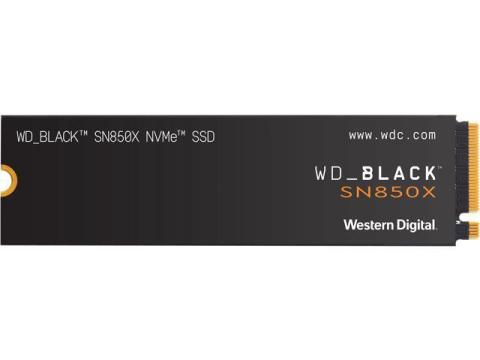
4. WD Black SN850X (2TB)
I recommend starting with a single **2TB NVMe SSD**. 1TB fills up surprisingly fast with modern games and RAW photo files.
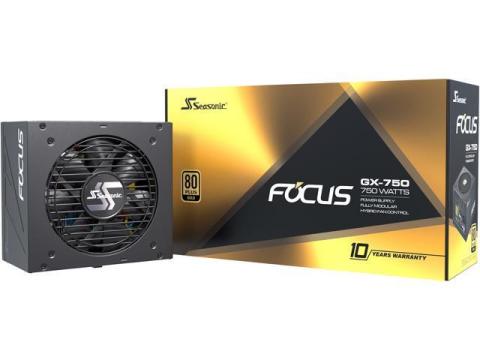
5. Seasonic Focus GX-750
80+ Gold, famously quiet, and come with a 10-year warranty. 750W is more than enough for this build, but you can jump to 850W if you want extra headroom for a massive GPU upgrade in 4 years.

Nice first built
You’ve actually put together a very solid mid–high-end build—this isn’t rookie-tier at all. I’ll go through it like a second set of eyes and flag anything worth fixing or double-checking.
1. Compatibility check (overall)
Short answer: Yes, everything is compatible.
- CPU + GPU (i5-13600K + RX 7800 XT)
Great pairing. No meaningful bottleneck at 1080p/1440p; GPU becomes the limiter at 4K (which is normal). - Motherboard (Z690 + 13th gen CPU)
✔ Same socket (LGA1700)
✔ DDR5 board matches your RAM
✔ Supports overclocking (nice bonus) - Cooler (Thermalright Peerless Assassin)
✔ Easily enough for a 13600K (good choice—many people cheap out here) - Case (Lancool 216)
✔ Excellent airflow
✔ Fits large GPUs like 7800 XT comfortably
2. BIOS update (important!)
This is the only real “watch out” item.
- Z690 boards launched for 12th gen CPUs
- Your i5-13600K = 13th gen
That means:
- It may not boot out of the box
- You’ll likely need a BIOS update
Good news:
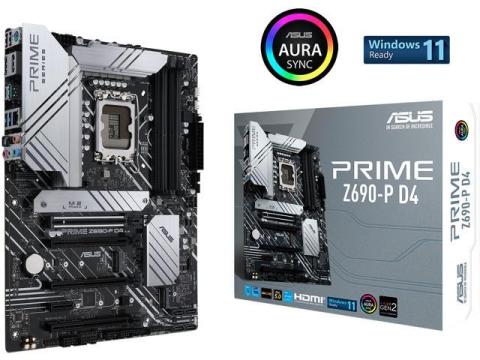
ASUS Prime Z690-P D4 LGA 1700 (Intel® 12th&13th Gen
Not a problem
But assume you will need to update BIOS
3. PSU — perfect choice
- Your combo realistically pulls ~550–600W under load
- Minimum recommendation ≈ 600W
Your 750W Gold PSU:
- ✔ Plenty of headroom
- ✔ Safer for spikes
- ✔ Future GPU upgrades possible
No changes needed.
4. RAM — 32GB question
Today:
- 16GB = still fine for most games
- 32GB = smoother multitasking + newer titles
Reality:
- Modern games (especially AAA + mods + Chrome + Discord) can exceed 16GB
Verdict:
Not overkill
Smart, future-proof choice
Especially good with a strong CPU/GPU like yours
5. Minor things to double-check (small but useful)
RAM compatibility (important detail)
- Aim for DDR5-6000 CL30/32
- Check MSI QVL list if you want zero hassle
SSD
- Any Gen4 NVMe is fine
- Just avoid no-name brands (thermal throttling, reliability)
GPU size clearance
- RX 7800 XT cards are big
- Lancool 216 handles them easily, so you’re safe
CPU cooler mounting
- Make sure it includes LGA1700 bracket (most new stock does)
6. One optional improvement (not required)
If pricing is close in your region:
Consider B760 or Z790 instead of Z690
- Native 13th gen support (no BIOS hassle)
- Sometimes similar price now
But:
- If Z690 is cheaper → keep it
9/27/2025
Hey, nice first build!…
Hey, nice first build! Everything looks compatible. Your i5-13600K and MSI Z690-A DDR5 combo is solid, but the motherboard might need a BIOS update for the 13th Gen CPU.
32GB RAM is more than enough for gaming and great for future-proofing. The Peerless Assassin cooler is decent, but if you push the CPU hard, I might consider a stronger cooler like the Noctua NH-D15 or be quiet! Dark Rock Pro 4. If you are more into aesthetics and efficient cooling in a compact form factor, the Corsair iCUE H150i Elite Capellix or NZXT Kraken Z73 RGB. I added some links to possible coolers below. Your RX 7800 XT is perfect for 1440p gaming, and the Lian Li Lancool 216 has great airflow. PSU and storage are both solid choices.
It looks like you are almost good to go!