
Laptop Request for IT Student
Good day!
I am requesting a laptop that meets the necessary hardware requirements for an Information Technology (IT) student. The nature of my course involves running heavy applications such as integrated development environments (IDEs), programming software, database management systems, and virtual machines for networking labs.
To ensure the laptop can efficiently handle these tools throughout my college years without lagging, here are the detailed technical specifications I need:
- Processor (CPU): Intel Core i5 or i7 (12th Gen or higher) / AMD Ryzen 5 or 7 (5000 series or higher)
- Memory (RAM): 16GB DDR4 or DDR5 (Crucial for running code compilers and virtual machines simultaneously)
- Storage: 512GB or 1TB NVMe M.2 SSD (For fast system boot-up and quick software loading times)
- Graphics (GPU): Intel Iris Xe / AMD Radeon Graphics (A dedicated NVIDIA RTX 3050/4050 is a preferred bonus for mobile development/emulators)
- Display: 14" or 15.6" Full HD (1920x1080) IPS Anti-glare screen
- Other Features: Backlit keyboard (for coding in low-light environments) and good battery life.
- Thank you very much for considering my request. This device will serve as my primary laboratory tool for all my programming and technical subjects

6/4/2026
Perfect for Study & Gaming, Built for Performance
Good day,
Thank you for providing your detailed requirements. Based on your needs as an Information Technology student—particularly for running IDEs, virtual machines, database systems, and other demanding applications—I have carefully selected several laptop options across your specified budget range ($3500–$5000).
Top Recommended Laptops (Premium Tier)
Razer Blade 16 (2025)
- Intel Core i9 (latest generation)
- NVIDIA RTX 4090
- 32GB–64GB RAM
- 1TB–2TB NVMe SSD
✔ Desktop-level performance, perfect for virtualization, heavy coding, and AAA gaming
6/4/2026
Laptop Requirement for Information Technology (IT) Studies
Acer Predator Helios Neo – Key Highlights
- http://newegg.com/acer-america-16-0-geforce-rtx-5070-ti-laptop-gpu-32gb-memory-1-tb-ssd/p/2WC-000K-03HM3?utm_medium=affiliate&utm_campaign=afc-ran-com-_-Show+Me+What+You+Got-_-Miscellaneous&utm_source=afc-Show+Me+What+You+Got&AFFID=4021297&AFFNAME=Show+Me+What+You+Got&ACRID=1&ASUBID=smwyg-newegg-578-4248&ASID=https%3A%2F%2Fshowmewhatyougot.world%2F&ranMID=44583&ranEAID=4021297&ranSiteID=NdfZ15IRx8s-flDYEugVv1q0UAnVgCZFog&utm_content=Miscellaneous">http://newegg.com/acer-america-16-0-geforce-rtx-5070-ti-laptop-gpu-32gb-memory-1-tb-ssd/p/2WC-000K-03HM3?utm_medium=affiliate&utm_campaign=afc-ran-com-_-Show+Me+What+You+Got-_-Miscellaneous&utm_source=afc-Show+Me+What+You+Got&AFFID=4021297&AFFNAME=Show+Me+What+You+Got&ACRID=1&ASUBID=smwyg-newegg-578-4248&ASID=https%3A%2F%2Fshowmewhatyougot.world%2F&ranMID=44583&ranEAID=4021297&ranSiteID=NdfZ15IRx8s-flDYEugVv1q0UAnVgCZFog&utm_content=Miscellaneous⚡ Intel Core i7 13th Generation Processor – Powerful performance for coding, multitasking, gaming, and professional workloads.
- 🚀 High-Speed SSD Storage – Fast boot times and quick application loading.
- 🧠 Upgradeable RAM – Smooth multitasking for programming, virtual machines, and content creation.
- 🎮 Dedicated NVIDIA GeForce RTX Graphics – Ideal for gaming, AI/ML projects, video editing, and 3D applications.
- 🖥️ High Refresh Rate Display – Smooth visuals for gaming and everyday use.
- ⌨️ RGB Backlit Keyboard – Comfortable typing and gaming experience, even in low light.
- ❄️ Advanced Cooling System – Designed to maintain performance during intensive tasks.
- 🔋 Suitable for Students and Professionals – Excellent for IT, Computer Science, Engineering, and creative work.
- 🌐 Wi-Fi 6 Connectivity – Faster and more reliable internet connection.
- 🏆 Premium Gaming & Productivity Laptop – Combines power, speed, and durability.
6/3/2026
I want to know that where you will use it mostly for coding or editing or gaming so that I can suggest you accordingly
6/2/2026
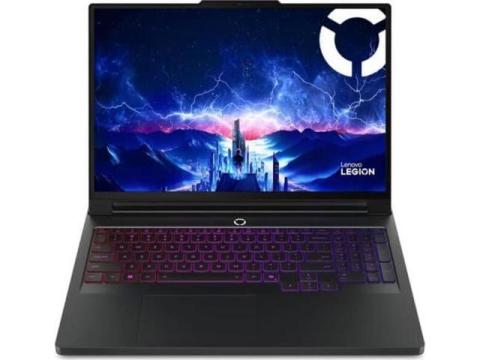
Lenovo Legion Pro 5i Gen 10 (Intel Ultra 7 / RTX 5070 / 1TB SSD)
Good day! For an IT curriculum running heavy virtual machines, network labs, and mobile emulators, you need a pure performance machine. The Lenovo Legion Pro 5i Gen 10 matches your needs perfectly and blows past your minimum requirements while staying way under your maximum budget.
Why This Machine Fits Your Labs Perfectly:
- VMware & VirtualBox Power: The latest Intel Core Ultra 7 (20 Cores) easily splits processing power across multiple simultaneous virtual servers without lagging your main coding layout.
- Heavy Mobile Emulation: Equipped with a next-gen NVIDIA RTX 5070 (8GB VRAM). The extra video memory prevents your system from choking when running Android or iOS emulators alongside your IDEs.
- Spacious 1TB SSD & 16GB RAM: Gives you double the baseline storage request so you can download massive Linux ISO files and databases effortlessly.
- OLED Screen Built for Code: The sharp 16" taller screen lets you view split terminal windows and long script lines side-by-side. Because it is an OLED panel, dark modes are truly black with zero backlight bleeding, drastically reducing eye strain.
Built for Engineering Students:
Unlike thinner lifestyle laptops, the Pro 5i utilizes heavy back-vented cooling to prevent thermal lag during long compilation runs. It also features Lenovo's legendary tactile keyboard with a full numeric keypad—a total lifesaver for typing manual IP subnet masks. It is fully upgradeable up to 64GB RAM if your university workloads grow later on.
Best of luck with your IT journey!
6/1/2026
THIS IS THE LAPTOP YOU NEED
ASUS ROG Zephyrus G16 AI Gaming Laptop, 16.0" OLED WQXGA (2560x1600) 240Hz, Intel Ultra 9-285H 16-Cores Processor, GeForce RTX 5080 16GB GDDR7, 32GB DDR5 1TB PCIe SSD, RGB KB, Windows 11 Home
1. Overkill Multi-Core Virtualization
- Intel Core Ultra 9-285H (16 Cores / 16 Threads): This high-end processor utilizes an advanced multi-core architecture. It splits workloads cleanly across Performance-cores and high-efficiency Skymont cores. When running a networking lab in GNS3 or VirtualBox, you can pin multiple dedicated cores to a guest OS (like a Linux firewall or database node) while your main Windows OS retains more than enough power to compile code in IntelliJ or VS Code without bottlenecking.
2. Massive VRAM for Emulators & Deep Learning
- NVIDIA GeForce RTX 5080 (16GB GDDR7 VRAM): Your initial request asked for a 3050 or 4050, but jumping to an RTX 5080 with 16GB of dedicated VRAM is a massive advantage. Heavy mobile emulators (like Android Virtual Devices) are extremely memory intensive. Because this massive 16GB pool is completely separate GDDR7 memory, it handles all emulators, hardware modeling, and local AI workloads effortlessly without draining any of your main 32GB system RAM.
3. Ultimate Code Scannability
- 16.0" WQXGA (2560x1600) 240Hz OLED Display: The crisp 16:10 aspect ratio provides expanded vertical screen space compared to standard wide widescreen displays. For programming, this extra vertical space means you can view significantly more lines of a script or configuration file at once, making debugging much more efficient. The OLED screen makes text sharp and highly legible, reducing eye strain during long hours in the lab.
4. Ideal Memory & Sufficient Initial Storage
- 32GB DDR5 RAM: This gives you double the capacity of your baseline request, allowing you to confidently configure multi-container Docker topologies, deploy heavy local databases, and keep browser-based documentation tabs open simultaneously.
- 1TB PCIe NVMe SSD: This fixes the storage limit. A 1TB high-speed drive provides plenty of space to install heavy development software, index vast workspace libraries, and safely warehouse several multi-gigabyte virtual machine operating system images.
6/1/2026
THIS IS WHAT YOU NEED!
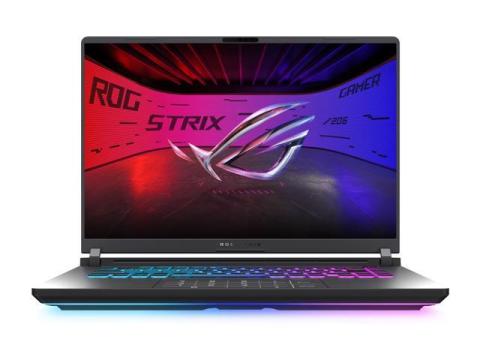
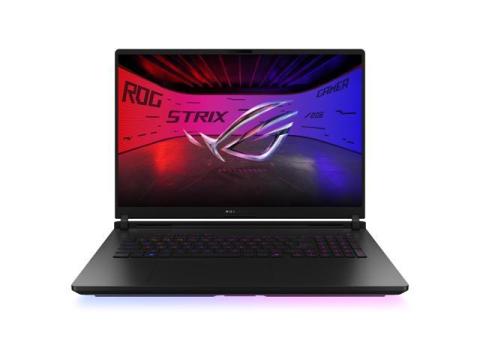
The ASUS ROG Strix G16 is the smartest choice for you as an IT student because it’s built to handle exactly the kind of demanding tasks your course requires. With its Intel Core i7‑14650HX processor and 16GB of fast DDR5 memory, you’ll be able to run multiple IDEs, compilers, and even several virtual machines at once without worrying about lag. The 1TB NVMe SSD ensures lightning‑quick boot times and smooth loading of heavy applications, while the dedicated NVIDIA RTX 5050 graphics card gives you extra power for mobile development, emulators, and even GPU‑accelerated projects. On top of that, the 16″ Full HD IPS display is comfortable for long coding sessions, and the backlit keyboard makes late‑night work easier. In short, this laptop isn’t just powerful — it’s future‑proof, reliable, and tailored to support your journey through programming, database management, and networking labs. Choosing the Strix G16 means you’ll have a machine that grows with you and won’t hold you back.
Choosing ASUS as your laptop brand makes sense because it has built a strong reputation for delivering machines that balance performance, durability, and value — exactly what an IT student needs. The ROG Strix line in particular is designed for heavy workloads, not just gaming, which means it can handle IDEs, database systems, and multiple virtual machines without breaking a sweat. ASUS consistently uses high‑quality components (fast DDR5 RAM, reliable cooling systems, and sturdy chassis) that ensure your laptop won’t overheat or slow down during long coding sessions. On top of that, ASUS offers future‑proof specs at competitive prices compared to other premium brands, giving you more power for your budget. Their laptops are also known for long lifespan and strong customer support, so you’re not just buying a device — you’re investing in a tool that will carry you through your entire IT course and beyond.
5/30/2026
Future-Proof Laptops for An IT Student Like YOU
🥇 Lenovo Legion Pro 7i Gen 10 / Gen 11
Lenovo Legion Pro 7i
Why I'd recommend it:
- Excellent cooling (important for long coding sessions and virtual machines)
- RTX 4090 graphics for AI, game development, and future-proofing
- 32GB RAM (often upgradeable to 64GB)
- 2TB SSD
- Great keyboard for programming
- Usually cheaper than similarly-specced competitors
Best for: IT, Computer Science, Cybersecurity, Software Engineering, AI/ML, and game development.
🥈 ASUS ROG Strix SCAR 18
ASUS ROG Strix SCAR 18
Why choose it:
- Among the fastest laptops you can buy
- Massive 18-inch screen makes multitasking easier
- Excellent for running multiple VMs and development tools
Downside: Large and heavy to carry around campus.
🥉 Razer Blade 16
Razer Blade 16
Why choose it:
- Premium aluminum build
- More portable than the SCAR 18
- Excellent display
Downside: You're paying extra for the premium design.
What I'd Buy for Your Situation
Since you're an IT student and want something that will last all of college:
Lenovo Legion Pro 7i
- Intel Core i9
- RTX 4090
- 32GB RAM (upgrade to 64GB later if needed)
- 2TB SSD
This gives you enough power for:
- Visual Studio
- Android Studio
- VMware / VirtualBox
- Docker
- Kali Linux labs
- Database servers
- Machine Learning
- Game Development
- AI projects
without feeling outdated 4–6 years from now.
5/30/2026
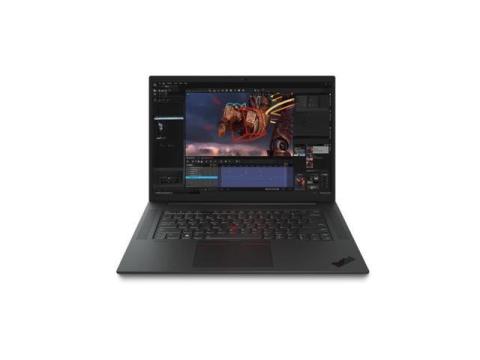
Lenovo ThinkPad P1 Gen 6 (2023) Mobile Workstation 16″ WUXGA (19
Why this is the perfect fit for your IT coursework:
· Processor: Intel Core i7-13800H (13th Gen, 14 cores/20 threads) – effortlessly runs multiple VMs, database servers, and heavy compilers simultaneously.
· Memory: 32 GB DDR5-5600 MHz (upgradable to 64 GB) – gives you plenty of headroom to allocate 8–16 GB to a virtual machine while keeping your IDE and tools responsive.
· Storage: 1 TB NVMe PCIe Gen4 M.2 SSD – near-instant boot times and project loading, with room for multiple OS images and datasets.
· Graphics: Dedicated NVIDIA GeForce RTX 4060 (8 GB GDDR6) – exceeds your RTX 3050/4050 preference, accelerating Android emulators, mobile development GPU tasks, and any light CUDA work.
· Display: 16″ WUXGA (1920×1200) IPS, anti-glare, 400 nits – slightly taller 16:10 ratio shows more lines of code, comfortable for all-day reading.
· Battery: 90 Wh battery with rapid charge – delivers solid unplugged runtime for lectures and coding sessions.
· Keyboard: Spill-resistant, full-size backlit keyboard – a hallmark of ThinkPad comfort for late-night coding.
· Build & Ports: MIL-STD-810H durability, 2x Thunderbolt 4, HDMI, SD card reader – ready for networking lab peripherals.
This machine will act as your portable lab throughout college without breaking a sweat.
5/30/2026
Lenovo IdeaPad Pro 5 14
Best Mid-Range
- Specs: AMD Ryzen 7 8845HS, 16GB RAM, 512GB SSD
- Price: ~₱48,000–₱58,000
- Pros: Near-premium performance, great battery, lightweight, very good value
- Best for: Students, junior devs, general coding and light virtualization
Price: - = ~$648 USD =~$1,134 USD
5/29/2026
Recommendation according to your Preferences
In my point of view. for students entering demanding IT programs, the Lenovo ThinkPad P16 Gen 3 stands as the premier investment in long-term reliability and performance. Engineered with enterprise-grade build quality and exceptional serviceability, this workstation is designed to endure the rigors of an entire degree—and thrive in your professional career long after graduation. By choosing the P16, you are securing a robust, upgradeable foundation for your development projects; we recommend configuring your machine with the stunning 3.2K Tandem OLED display and a minimum of 32GB of RAM to ensure your workstation remains at the cutting edge of industry demands for years to come.
Lenovo ThinkPad P16 Gen 3
- Intel Core Ultra 7 265HX
- vPro Technology
- 32 GB
- 512 GB SSD
- English (US) Keyboard
- Black
- Intel Chip
- 1920 x 1200
- Windows 11 Pro
- NVIDIA RTX PRO 2000 Blackwell with 8 GB
- Front Camera/Webcam
- 16"" Mobile Workstation
5/29/2026
My Recommendation According to Your Use Case
Lenovo Legion Pro 7 Gaming Laptop
Why this is the strongest recommendation:
- Excellent sustained performance under heavy coding workloads
- RTX GPU helps with AI/ML and emulator acceleration
- Great cooling system
- Upgradeable RAM/storage
- One of the best Windows developer machines in 2026
Recommended configuration:
- Intel Core Ultra 9 / i9 HX
- RTX 4080 or 4090
- 32GB–64GB RAM
- 1TB–2TB SSD
Typical price:
~$3,500–$4,500 depending on GPU/RAM
Asus ROG Zephyrus G16 Gaming Laptop OLED Display
- A premium thin-and-light laptop that combines strong RTX graphics with portability, OLED display quality, and excellent developer performance.
- Why it stands out:
- Much lighter than most gaming laptops
- OLED display is excellent for long coding sessions
- Powerful enough for AI/ML, VMs, and Android Studio
- Better portability than Legion series
- Recommended specs:
- Ryzen 9 / Intel Ultra 9
- RTX 4070/4080
- 32GB RAM
- 1TB SSD
- Typical price:
~$3,000–$4,200
5/29/2026
Laptop Recommendation Based on Your Requirements
Hi,
After looking through your requirements and spending quite a bit of time researching different options, I believe ASUS offers the best combination of performance, reliability, and value for your needs.
Budget-Friendly Choice:
ASUS ROG Strix G16 (RTX 5070 Ti, 32GB RAM)
This is the option I'd recommend if you want the best performance for your money. It will handle programming, Android Studio, virtual machines, multitasking, and even gaming with ease.
Premium Choice:
ASUS ROG Zephyrus G16 (RTX 5070 Ti, 64GB RAM, 2TB SSD)
If your budget allows, this would be my top pick. It's lighter, has a beautiful OLED display, better battery life, and plenty of RAM and storage to keep up with you for years.
My personal suggestion:
Go for the Strix G16 if you want great value and excellent performance. Choose the Zephyrus G16 if you want a more premium experience and the best overall package.
Either way, both laptops are more than capable of handling your coursework, development projects, and everyday tasks comfortably.
Hope this helps with your decision!
5/29/2026
This are what I recommend to you!
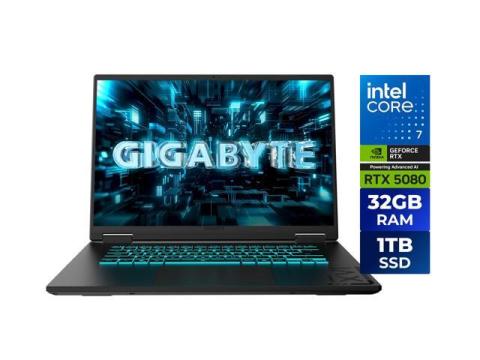
GIGABYTE - GAMING A16 PRO
Gaming Laptop - 165Hz 2560x1600 WQXGA - NVIDIA GeForce RTX 5080 - Intel Core 7 240H - 1TB SSD with 32GB LPDDR5X RAM - Windows 11 Home (GAMING A16 PRO DYHG5USCC4SH)
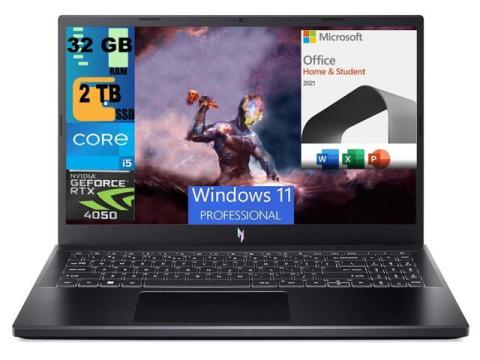
Acer Nitro V 15 Gaming Laptop
15.6" FHD 144Hz Display, Intel Core i5-13420H Octa-core Processor, RTX 4050 6GB Graphic, 32GB DDR5 2TB PCIe SSD, Backlit KB, Windows 11 Pro,Microsoft Office License

6/6/2026
Can i ask where are you from so that i can check what are the available in your areas?