
Flatbed or photo scanner
Ok, this is a bit of a weird and tough one. Especially in 2026. I need a flatbed color scanner with good resolution. I have literally thousands of old family photos I want to scan and digitize. Most are regular 3x5, but a few are 5x8. I don't really want one that rolls the photos through if you know what I mean. some of these are from the 1940s and are quite fragile.
Help!

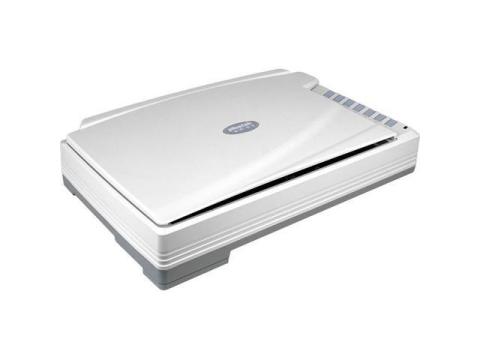
Plustek OpticPro A320E Professional Flatbed Photo Scanner
Hey PicsMom, since high-end Epson photo flatbeds are currently out of stock everywhere, your best bet is the Plustek OpticPro A320E.
It completely blows away the basic entry-level scanners suggested on this thread. Instead of a cramped document size, this is a large-format pro flatbed. This means you can lay down multiple fragile 1940s prints at the exact same time without them overlapping, saving you hours of tedious work.
It scans at a sharp, uncompressed optical resolution to capture every ounce of detail from those vintage family memories. Because it is a true stationary glass flatbed, nothing bends, rolls, or runs any risk of tearing your fragile 5x8s.
It is fully in stock on Newegg right now and is the absolute safest way to archive your family history properly.

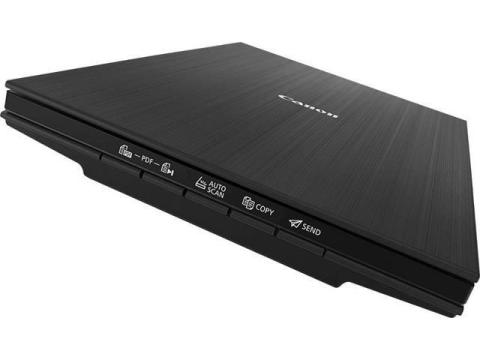
Canon CanoScan LiDE 400
Canon CanoScan LiDE 400
· Gentle Flatbed Design: This is the most critical feature. You place photos directly on the glass, meaning there are no rollers or mechanisms that could bend, tear, or damage fragile 1940s prints.
· High-Resolution Scans: The 4800 x 4800 dpi optical resolution will capture every detail from your 3x5 and 5x8 photos, allowing for excellent enlargements and digital restoration later.
· Scans Multiple Photos at Once: A standout feature for your project. The LiDE 400 can scan up to four 3x5 snapshots in a single pass and automatically save them as separate files, which will save you a massive amount of time with thousands of images.
· Handles Thicker Items: The "Z-Lid" feature uses a double-hinge that allows the lid to close flat on thicker items like photo albums or books, ensuring a sharp scan even if the photo can't be removed from an old album.

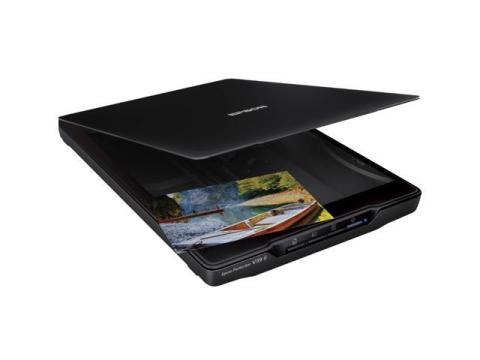
THIS IS FOR YOU
If you’re scanning fragile old 1940s photos, a flatbed color scanner is the safest option, since the glass bed is stationary and nothing rolls through, risking damage to your prints. For 3x5 and 5x8 photos, a budget‑friendly option is the Epson Perfection V39 II Color Photo and Document Flatbed Scanner. It delivers crisp 4800 dpi resolution, so you’ll capture every detail clearly. The scanner is USB‑powered, meaning no bulky power bricks cluttering your desk. It also has a removable high‑rise lid, which makes it easy to scan thicker or oddly shaped photos. Plus, the “Easy Photo Fix” feature can restore faded colors with a single click, making it perfect for bringing vintage prints back to life. Overall, it’s a reliable, affordable choice for anyone wanting clarity and safety without overspending.

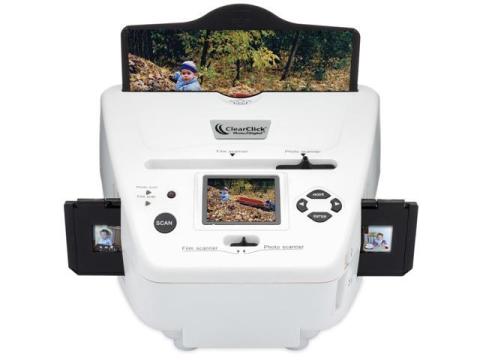
ClearClick Photo to Digital Photo, Slide, and Film Scanner with
- Resolutions, Optical: 10 MP
- Resolutions, Interpolated: 20 MP
- Resolutions, Max: 10 MP
- Media Size: 32 GB
- Model #: Photo2Digit

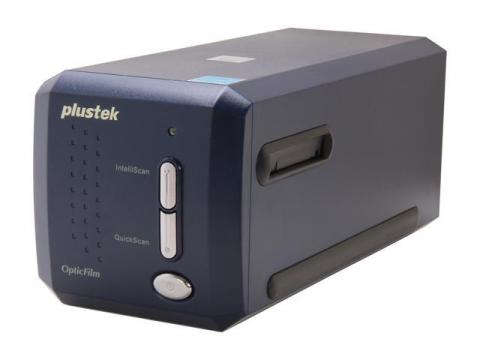
The best scanning solution for film photography and slide conver
Plustek OpticFilm 8100 35mm Film and Slide Scanner with LaserSoft SilverFast SE Plus 8 Software
- 48-bit Input, 24/48-bit Output CCD
- 7200 dpi Optical Resolution
- Convert 35mm Negatives & Slides
- Includes SilverFast SE Plus 8
- Includes NewSoft Presto! PageManager 7.23
5/25/2026
Canon CanoScan LiDE 400 Scanner
Honestly, I think the Canon CanoScan LiDE 400 Scanner is actually a really solid choice for what you need. Since your photos are old and fragile, going with a flatbed instead of a feed-through scanner is definitely the safer move.
The LiDE 400 does 4800 x 4800 dpi, which is more than enough for preserving detail and even restoring older family photos later if you want. It also handles photos up to letter/A4 size, so your 5x8 prints won’t be a problem. Another thing I like is that it’s simple USB powered, compact, and pretty fast for bulk scanning.
I’d probably recommend scanning most photos at 600 dpi for archiving. That gives you good quality without making the files insanely huge. For really important photos or damaged ones, you can go higher.
Only thing I’d mention is that some people on Reddit reported occasional software/driver issues, especially on newer Macs, but most seemed to fix it with updated drivers or third-party scan software like VueScan or NAPS2.
For the price though, it’s honestly hard to beat for home photo archiving.