Request

Laptop recommendation for coding

I'm a first year betch cse student. I need a new laptop for coding and stuff. It's gonna be my first laptop so I'm super confused. I need something which i can use for like 5 years or more. Should have good battery life and a good processor i can use for coding 

Min. Budget
$45000.00
Max. Budget
$80000.00
Deadline
1 day ago

Here is a structured, well-formatted recommendation tailored  for Prekshajadav (under $800 USD):

💻 Laptop Recommendations for Prekshajadav

1. MacBook Air M2 (16GB Unified Memory / 256GB SSD)

  • Best For: Battery life, build quality, and long-term durability for coding (5+ years).
  • Processor: Apple M2 (8-core CPU / 8-core or 10-core GPU).
  • Key Highlights:
    • Battery Life: Outstanding (up to 15–18 hours of real-world use).
    • Performance: Handles Web Development, Python, C++, Data Structures & Algorithms, and lighter Machine Learning workloads effortlessly.
    • Why It Fits: Highly reliable for a 4–5 year CSE degree, silent (fanless design), and lightweight.
  • Things to Note: Make sure to opt for 16GB RAM rather than 8GB to keep up with heavy programming tools (VS Code, Docker, Android Studio) over the next 5 years.

2. Lenovo IdeaPad Slim 5 or ThinkBook 15 (AMD Ryzen 7 7730U or Intel Core i5 13th/14th Gen)

  • Best For: Windows ecosystem, raw multi-core performance, and easy port selection.
  • Specs: 16GB LPDDR5 RAM, 512GB/1TB NVMe SSD, FHD/2.5K IPS Display.
  • Key Highlights:
    • Battery Life: Excellent 7–9 hours on AMD Ryzen U-series models.
    • Performance: 8 cores / 16 threads make compiling code, running VMs, and multitasking seamless.
    • Keyboard: Lenovo keyboards are widely considered the best for typing long coding sessions.

3. ASUS Vivobook 15 / Vivobook S 15 OLED (Intel Core i5-13500H or Ryzen 7)

  • Best For: Sharp display and high-performance CPU.
  • Specs: 16GB DDR4/DDR5 RAM, 512GB SSD, 100% DCI-P3 OLED Display.
  • Key Highlights:
    • Performance: High-performance "H-series" processors handle heavy computations easily.
    • Display: Crisp screen reducing eye strain during long programming sessions.
  • Things to Note: H-series processors draw more power, so battery life is around 5–6 hours compared to U-series AMD or Apple Silicon.

💡 Quick Tips for a 1st Year CSE Student

  1. RAM is Priority #1: Do not buy an 8GB RAM laptop in 2026. Get 16GB minimum so it easily lasts 4–5 years without slowing down.
  2. Avoid Dedicated Gaming Laptops (unless heavy 3D rendering/gaming is needed) because their battery life rarely exceeds 2–3 hours.
  3. Storage: 512GB SSD is the sweet spot. You can always use external SSDs or cloud storage down the line.
Read more...

you lives in which country ? from where are you planning to buy local market or online ?

Read more...

I'm from india and I'm planning to buy it online

If this is going to be your first laptop for CSE and you want it to last 5+ years, I’d personally avoid choosing a laptop based only on the processor name or getting a gaming laptop just because it has an RTX GPU.

I’ve dealt with the kind of workload you’ll eventually run into as a CS student — VS Code/IntelliJ, multiple browser tabs, Android Studio, databases, Docker containers, local servers, virtual machines, and sometimes heavier development or AI/ML projects. The problem with cheaper laptops isn’t usually that they can’t run these things at all; it’s that once you start running several of them together, you quickly run into RAM, storage, thermal, or battery limitations.

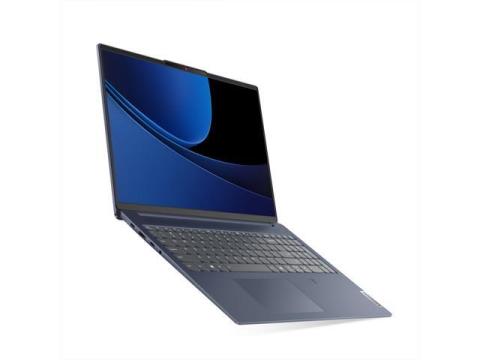
For your ₹45,000–₹80,000 budget, my first choice would be a Lenovo IdeaPad Slim 5 with Ryzen 7, 16GB RAM and at least 512GB NVMe SSD, assuming you can find that configuration within your budget.

The reason I recommend it is less about having the most powerful specifications and more about avoiding problems later:

  • 16GB RAM: This is important once you're running an IDE + browser + database + Docker + other development tools simultaneously. I would not recommend 8GB for a laptop you're planning to keep for 5+ years.
  • Ryzen 7: Gives you enough CPU performance for C/C++, Java, Python, web development, Android Studio, compiling projects and general development without constantly feeling like the laptop is struggling.
  • 512GB SSD minimum: Your development environment will take more space than you expect. Docker images, Android Studio, SDKs, databases, projects and VMs add up quickly. If you can get 1TB within budget, even better.
  • Battery life: This is where I would choose a good productivity laptop over a gaming laptop if your main purpose is CSE. You don't want to carry a heavy charger everywhere just to get through university classes.
  • Long-term usability: A balanced CPU + 16GB RAM + SSD configuration is more useful for a student over several years than buying a cheap laptop with a dedicated GPU but compromising on everything else.

One thing I would not do is buy an RTX 3050/4050 gaming laptop simply because someone says "CSE students need a GPU." You only really need a dedicated GPU if you know you'll be doing serious local AI/ML, 3D work, video editing or gaming. For normal programming, databases, Docker, web development and university projects, I'd rather have better battery life, portability and overall reliability.

If you eventually get into serious AI/ML, you can also use cloud GPUs instead of carrying a gaming laptop every day.

So if I were in your position, I'd spend the budget on a well-balanced 16GB Ryzen 7 laptop, rather than chasing the biggest GPU.

My target configuration would be:
Ryzen 7 + 16GB RAM + 512GB/1TB NVMe SSD + good FHD/2K display + decent battery life.

That combination should give you much fewer headaches as your coursework gets more demanding and you start using tools like Docker, databases, Android Studio and virtual machines.

Read more...

It's to expensive and you can get very cheap with graphic card 

Read more...
Close Conversation
Recommendation #1

https://dl.flipkart.com/s/CmOqGRNNNN

Since you are cse student you have to work for various machine learning projects as part of course work so for such tasks having gpu was always beneficial and you can easily get a laptop with gpu with you maximum budget 85000 you can work on your own during any high end project without depending on your friends and troubling them also wasting your time as well. 

Life will be 4-5 years just don't work while laptop was getting charge you'll get even better life. 

Note Adding random link as I can't publish without it. Please take time and visit flipkart link 85000 investment was worth opening a flipkart link. If you like please accept my suggestion. 

Read more...
Recommendation #2

https://dl.flipkart.com/s/CmOqGRNNNN

Since you are cse student you have to work for various machine learning projects as part of course work so for such tasks having gpu was always beneficial and you can easily get a laptop with gpu with you maximum budget 85000 you can work on your own during any high end project without depending on your friends and troubling them also wasting your time as well. 

Life will be 4-5 years just don't work while laptop was getting charge you'll get even better life. 

Note Adding random link as I can't publish without it. Please take time and visit flipkart link 85000 investment was worth opening a flipkart link. If you like please accept my suggestion. 

Read more...

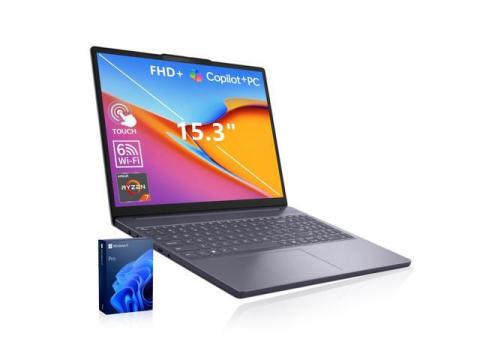
I highly recommend the **Lenovo IdeaPad Pro 5 (AMD Ryzen 7 8845HS | 16GB RAM | 1TB NVMe SSD)**.

Since this is your first laptop and you want it to last 5+ years, this is one of the best value-for-money choices for a Computer Science student.

✅ **Ryzen 7 8845HS (8 Cores / 16 Threads)** – Powerful enough for C++, Java, Python, VS Code, IntelliJ, Android Studio, Docker, virtual machines, web development, and even beginner AI/ML projects.

✅ **16GB LPDDR5X RAM** – Smooth multitasking with multiple browser tabs, IDEs, coding tools, Discord, and other applications running simultaneously.

✅ **1TB PCIe Gen4 NVMe SSD** – 1TB is the sweet spot for students. Programming tools, Android Studio, Docker images, virtual machines, projects, games, and personal files can quickly fill a 512GB SSD, so the extra storage gives you peace of mind for years.

✅ **Excellent Battery Life** – Around 8–12 hours of regular college use, making it great for lectures and study sessions without constantly needing the charger.

✅ **Premium 2.5K Display** – Sharp, bright, and comfortable for long coding sessions, watching lectures, and everyday use.

✅ **Lightweight & Premium Build** – Around 1.4–1.5 kg, making it easy to carry around campus every day.

Overall, this laptop offers the perfect balance of performance, battery life, portability, and future-proof specs. It should comfortably last throughout your engineering degree and even into your first job without feeling outdated.

**Recommended Configuration:**
• AMD Ryzen 7 8845HS
• 16GB RAM
• 1TB NVMe SSD
• 14-inch 2.5K Display
• Windows 11

If it's within your budget, I don't think you'll regret this purchase.

Official Lenovo Product:
https://www.newegg.com/lenovo-16-0-geforce-rtx-5050-laptop-gpu-16gb-memory-luna-grey/p/1TS-000E-1DNC4#">LAPTOP BUY LINK

Why I recommend it:

✅ Ryzen 7 8845HS (8 Cores / 16 Threads) – Excellent for C++, Java, Python, VS Code, IntelliJ, Android Studio, Docker, virtualization, web development, and even AI/ML projects.

✅ 16GB LPDDR5X RAM – Smooth multitasking with multiple IDEs, browser tabs, and productivity apps.

✅ 1TB PCIe Gen4 NVMe SSD – You'll appreciate the extra storage over the next 4–5 years. Programming tools, Android Studio, Docker images, VMs, games, and personal files can easily fill 512GB.

✅ Great Battery Life – Around 8–12 hours of normal college usage, making it perfect for lectures and coding on the go.

✅ Premium Display – Sharp 2K/2.5K display with excellent color accuracy that's comfortable for long coding sessions.

✅ Lightweight & Premium Build – Easy to carry around campus every day.

Overall, this is one of the best long-term laptops for a Computer Science student. It offers excellent performance, battery life, build quality, and should comfortably last throughout your engineering degree and beyond.

Read more...
Close Conversation
Recommendation #1

Price: 553.99 $

Spec Breakdown & Verdict

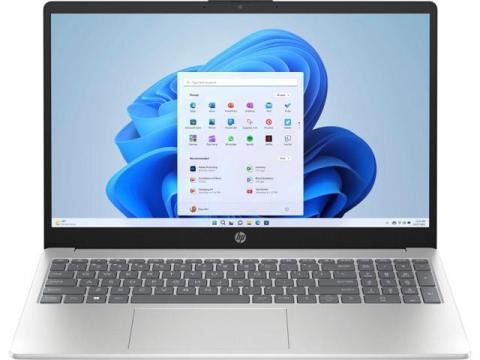
This is the HP 15-fc0xxx variant you’re already familiar with, and it’s a very solid pick for your CSE studies.

The AMD Ryzen 5 7520U processor uses the latest Zen 4 architecture, with 4 cores and 8 threads - it runs Python, Java, C++, VS Code, compilers, and multitasking smoothly, and will keep up with your coursework for 5+ years without slowing down.

The 16GB RAM is exactly what you need; it handles having your code editor, browser tabs, and other tools open at the same time with no lag at all.

The 256GB SSD is fast enough for daily use, but it will fill up quickly once you install more coding software, emulators, virtual machines, and save your projects. It’s highly recommended to upgrade this to a 512GB or 1TB NVMe SSD later - these are very affordable and easy to install on this model.

The 15.6-inch Full HD display is sharp and easy on your eyes during long coding sessions. The battery that lasts up to 12.5 hours is excellent - you can bring it to school all day without needing to charge. The backlit keyboard is also very convenient for typing code comfortably even in dim lighting.

All other parts like the Radeon graphics and Windows 11 Home are perfectly suited for your needs, with no issues for school or personal use.

Overall this is a great choice - the only thing to keep in mind is planning to upgrade the storage down the line; everything else is already ideal for you.

Read more...
Recommendation #2

Price: 553.99 $

Spec Breakdown & Verdict

This is the HP 15-fc0xxx variant you’re already familiar with, and it’s a very solid pick for your CSE studies.

The AMD Ryzen 5 7520U processor uses the latest Zen 4 architecture, with 4 cores and 8 threads - it runs Python, Java, C++, VS Code, compilers, and multitasking smoothly, and will keep up with your coursework for 5+ years without slowing down.

The 16GB RAM is exactly what you need; it handles having your code editor, browser tabs, and other tools open at the same time with no lag at all.

The 256GB SSD is fast enough for daily use, but it will fill up quickly once you install more coding software, emulators, virtual machines, and save your projects. It’s highly recommended to upgrade this to a 512GB or 1TB NVMe SSD later - these are very affordable and easy to install on this model.

The 15.6-inch Full HD display is sharp and easy on your eyes during long coding sessions. The battery that lasts up to 12.5 hours is excellent - you can bring it to school all day without needing to charge. The backlit keyboard is also very convenient for typing code comfortably even in dim lighting.

All other parts like the Radeon graphics and Windows 11 Home are perfectly suited for your needs, with no issues for school or personal use.

Overall this is a great choice - the only thing to keep in mind is planning to upgrade the storage down the line; everything else is already ideal for you.

++++++++++++++++++++
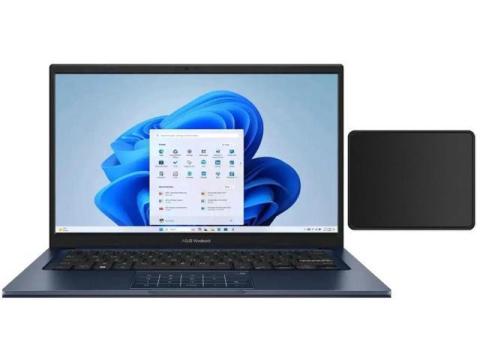
ASUS Vivobook 14" FHD Laptop |Intel Core i5-1334U| Intel UHD Graphics |Webcam |Bluetooth|Blue| 12GB RAM | 256GB SSD |Windows 11 Home |Bundle with Mouse Pad

Price: $629.99

  • [RAM & Storage] This computer comes with 12GB RAM | 256GB SSD
  • [Intel Core i5-1334U Processor 1.3 GHz Base] It is a mobile processor with 10 cores, launched in January 2023. It is part of the Core i5 lineup, using the Raptor Lake-U architecture with BGA 1744. Intel Hyper-Threading technology is available and effectly doubles the core-count of the P-Cores, to a total of 12 threads. Core i5-1334U has 12 MB of L3 cache and operates at 1300 MHz by default, but can boost up to 4.6 GHz, depending on the workload.
  • [14-inch FHD Display] Enjoy vivid visuals in detailed 1920 x 1080 resolution (16:9) with brilliant colors and a smooth 60Hz refresh rate.
  • [Other features] Intel UHD Graphics,Chiclet Keyboard with NumberPad,HD Front Camera,Windows 11 Home OS.

Read more...

  • Excellent performance for programming, web development, and everyday multitasking.
  • Comfortable keyboard for long coding sessions.
  • 8–10 hours of battery life under typical use.
  • Fast 512GB NVMe SSD (upgradeable on supported models).
  • 16GB RAM is ideal for VS Code, IntelliJ, Docker, and multiple browser tabs.
  • A reliable choice that should easily last through a 4-year B.Tech degree and beyond.
Read more...